How to Get a Realms Invite Code
To register Realms with T6NetWork, you need an invitation code (preferably one with no expiration date). The system automatically checks whether you have an active subscription using the invitation code.
Steps to Get an Invitation Code
Open Realms Member Management
Launch Minecraft, open the Realms Hub for the Realms you manage, and go to the "Members" section. You'll see "Manage Realm Members" there; click it.
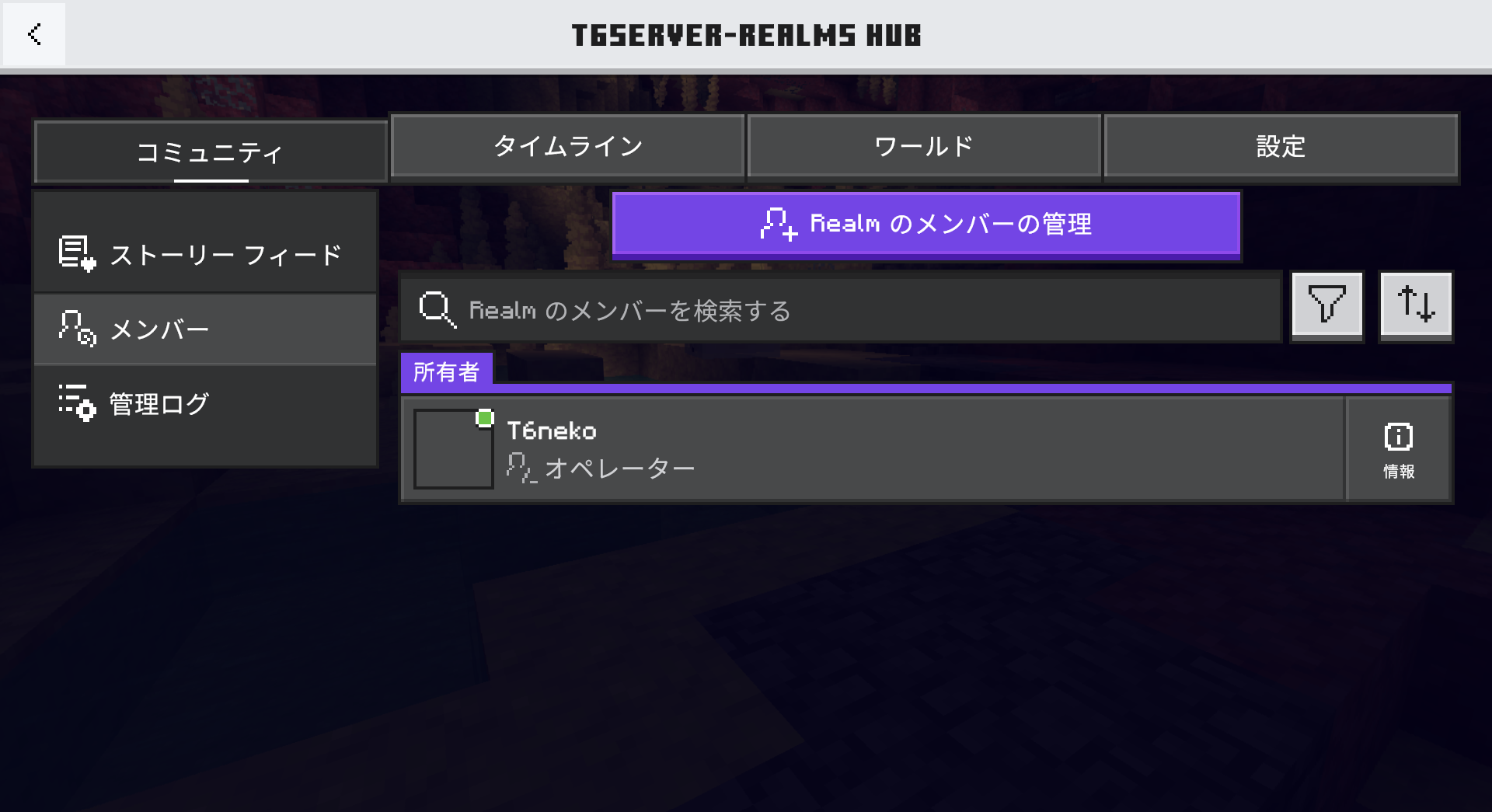
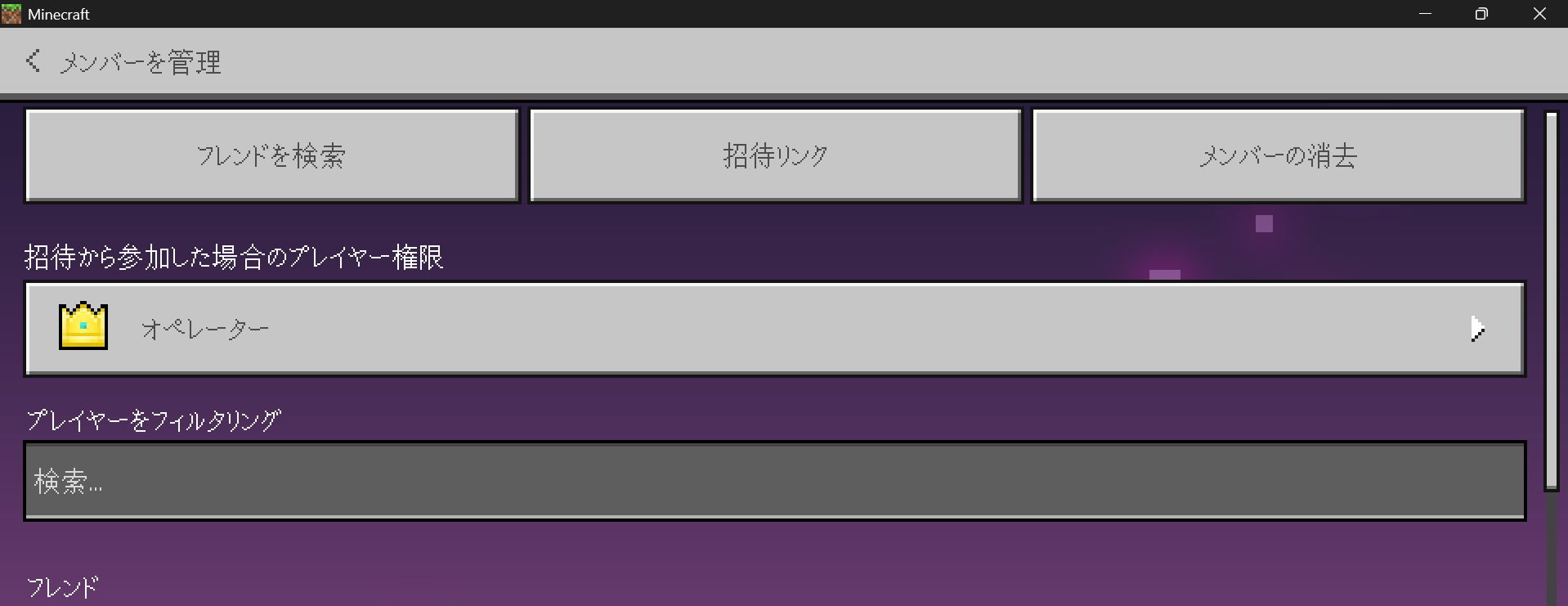
Select "Invite Link"
After the page loads for a moment, this screen will appear, so tap "Invite Link."
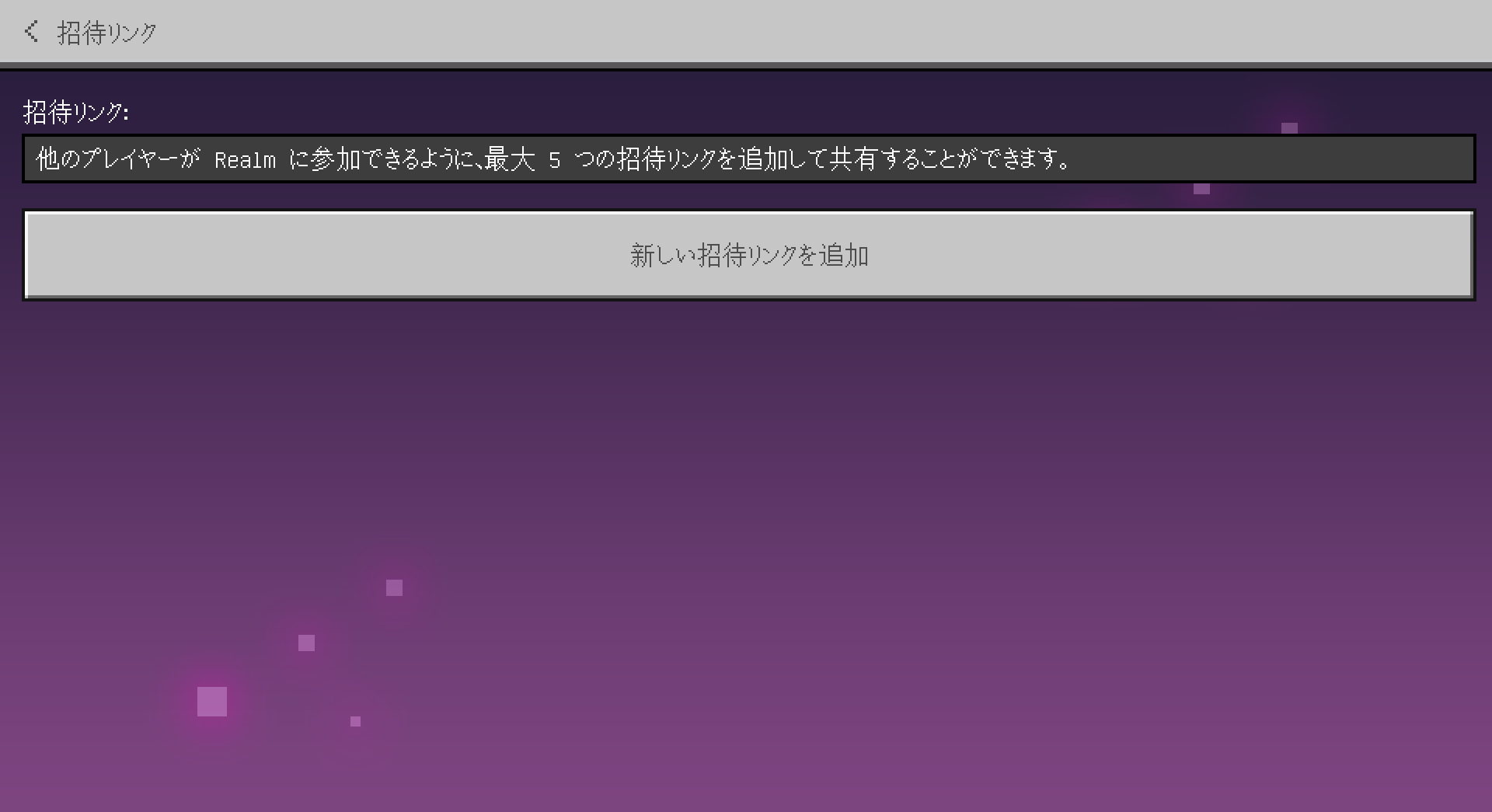
Add an invitation link
Once you're on this screen, click "Add a New Invitation Link." If you have an existing invitation link, you can use that instead (but be sure to check the expiration date).
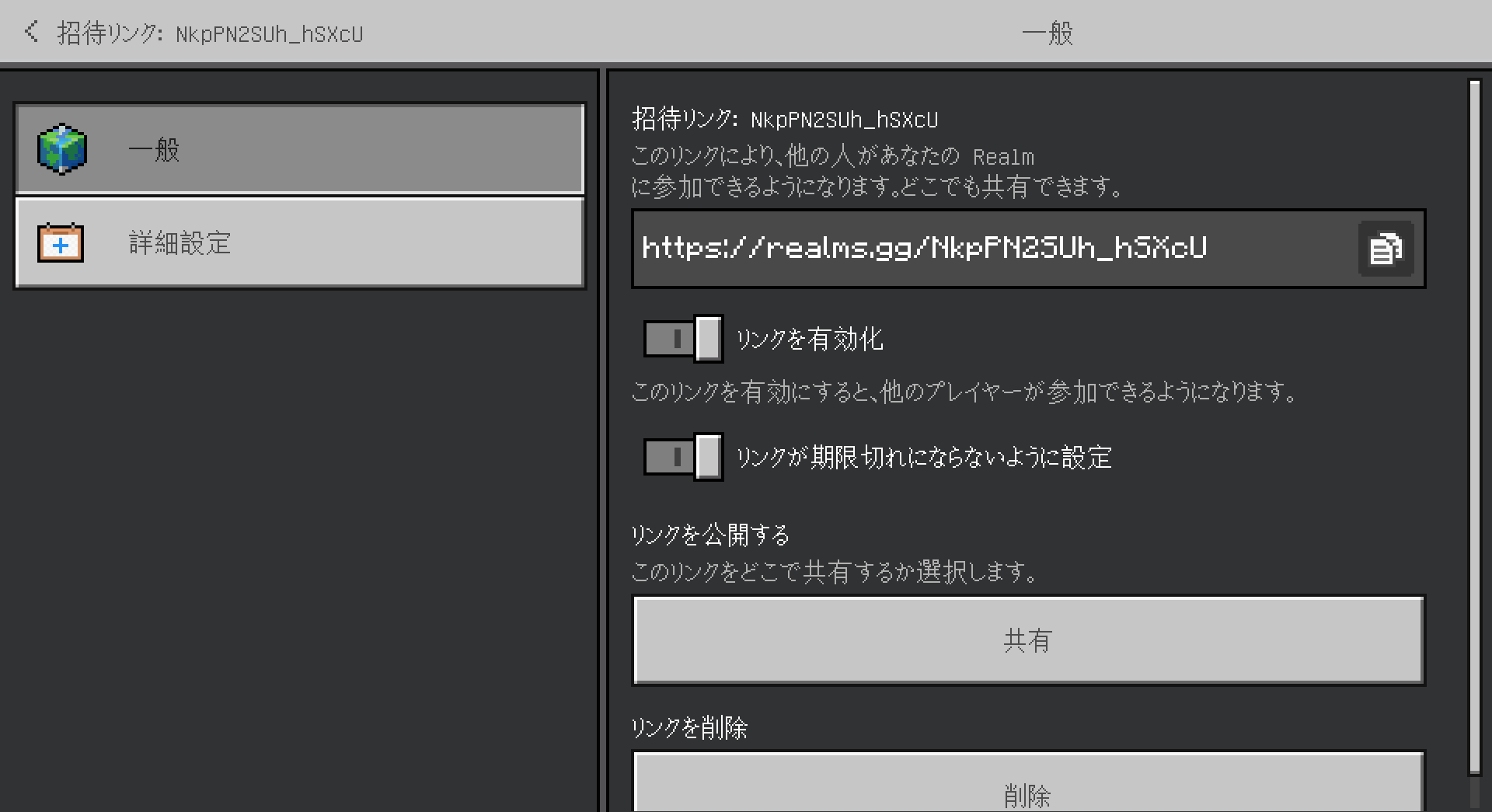
Copy and paste the invitation link
Copy the invitation link and paste it into the T6NetWork referral page creation screen. If you enable the "Prevent link from expiring" setting in Realms at this time, you'll save yourself the trouble of updating it later (this setting is off by default).
If you have any questions,
If you have any questions, please feel free to visit the official T6NetWork support server.